Joining the Potomac Mountain Club is simple. Sign up online and pay using PayPal – two ways to do this, as explained below. You can also pay through our bank account with Truist.
Should you have problems with the automated ways of joining the club listed here, we can manually create a membership for you.
When you join you will receive an email about the club. If you do not get this – please check spam – contact [email protected]
Individual Membership
$50 per year + PayPal fee – total of $51.50
PayPal Payments
If you have a PayPal account, this is our preferred means of paying for a membership using the box above. This allows automatic confirmation of payments and reduces administrative overhead. However, for some members PayPal transactions fail, with the result that your membership has been created but not activated. In this case, we suggest retrying PayPal, possibly by creating a new PayPal account.
If you do not have a PayPal account, there is another option: a PayPal-powered service that allows you to use Venmo, a debit or credit card or Apple Pay by using this link or scan the QR Code below.
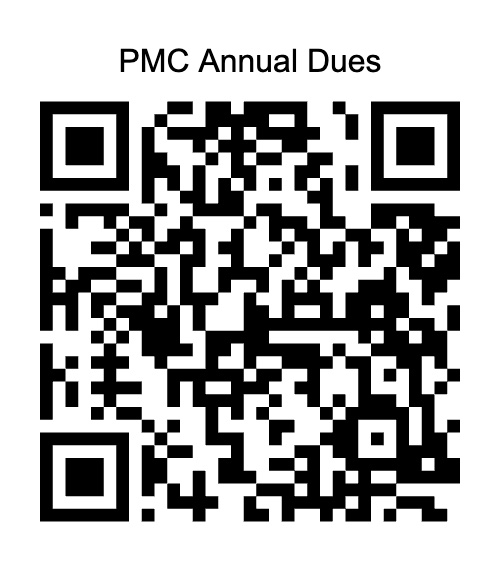
Annual PMC membership fees paid this way are currently $51.60 – $50 plus an additional $1.60 handling fee to cover PayPal costs.
Bank Payments
If neither of these PayPal options works for you, we can provide details of our club bank account with Truist. Contact the treasurer [email protected].
Your membership will be manually activated once we have confirmation of your membership payment.
Choosing Your Email Address When Joining
When you join the club, you provide an email address that is linked in the membership database to your personal information and membership status.
We use a google email group for member communications and Mailchimp for distributing Club newsletters. You have to opt-in for those two services by providing an email address – for privacy reasons we do not add you automatically..
If you want to use these club services we strongly recommend you use ONE email address for ALL club business – and this has to be whatever you provided when you signed up for membership. This email cannot be easily changed post-joining so choose wisely.
Connecting with Club Communications
Once you are a member, contact [email protected] or [email protected] if you want to be added to club communications. You need to supply your email – the one you signed up with – and your phone number.
Please do not email us without providing that information.